Searchive

Search every page of your scanned archives.

Import the PDFs, let it read them — German, French, English, Dutch, even century-old print — and find any word on any page. Entirely on your own computer.

Launching soon for macOS and Windows. One email when it ships — nothing else.

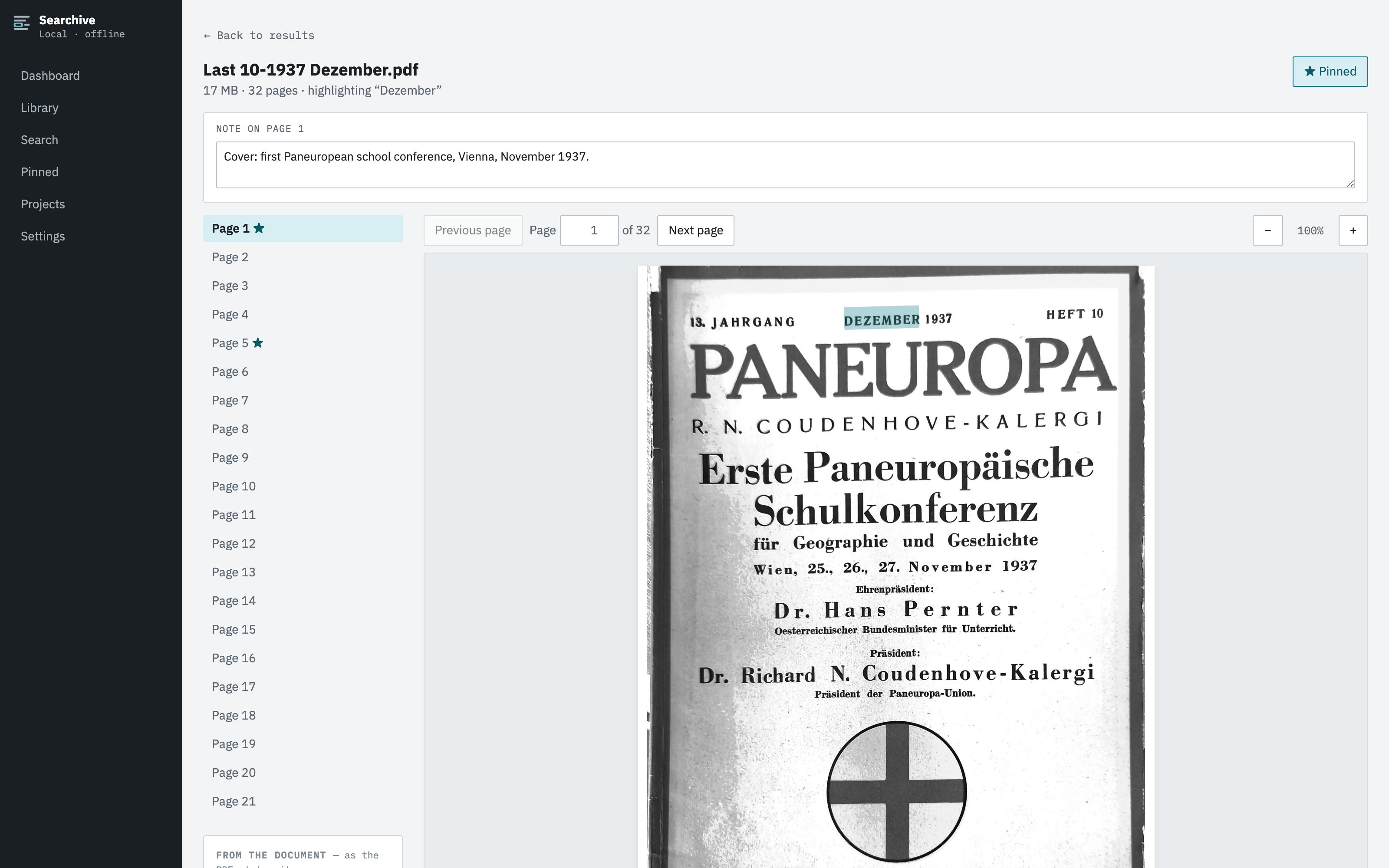
The application showing a scanned 1937 magazine page with a search match highlighted on the page image
The problem

You have the sources. You just can't search them.

Folders of scanned journals, church registers, correspondence, city records — thousands of pages you photographed in archives or inherited as PDFs. Finding one name in them means reading all of them. Cloud OCR services would do it, but they want your documents uploaded to someone else's computer.

How it works

Import. Recognize. Search.

01

Import PDFs — or photos

Single files, whole folders, or the photos you took in the archive: a set of phone photos becomes one document, pages in camera order. Your originals are never modified.

02

It reads the scans

Text recognition tuned per document, in the language the document is written in — including old orthography and diacritics.

deufraengnld
03

Find any word, on the page

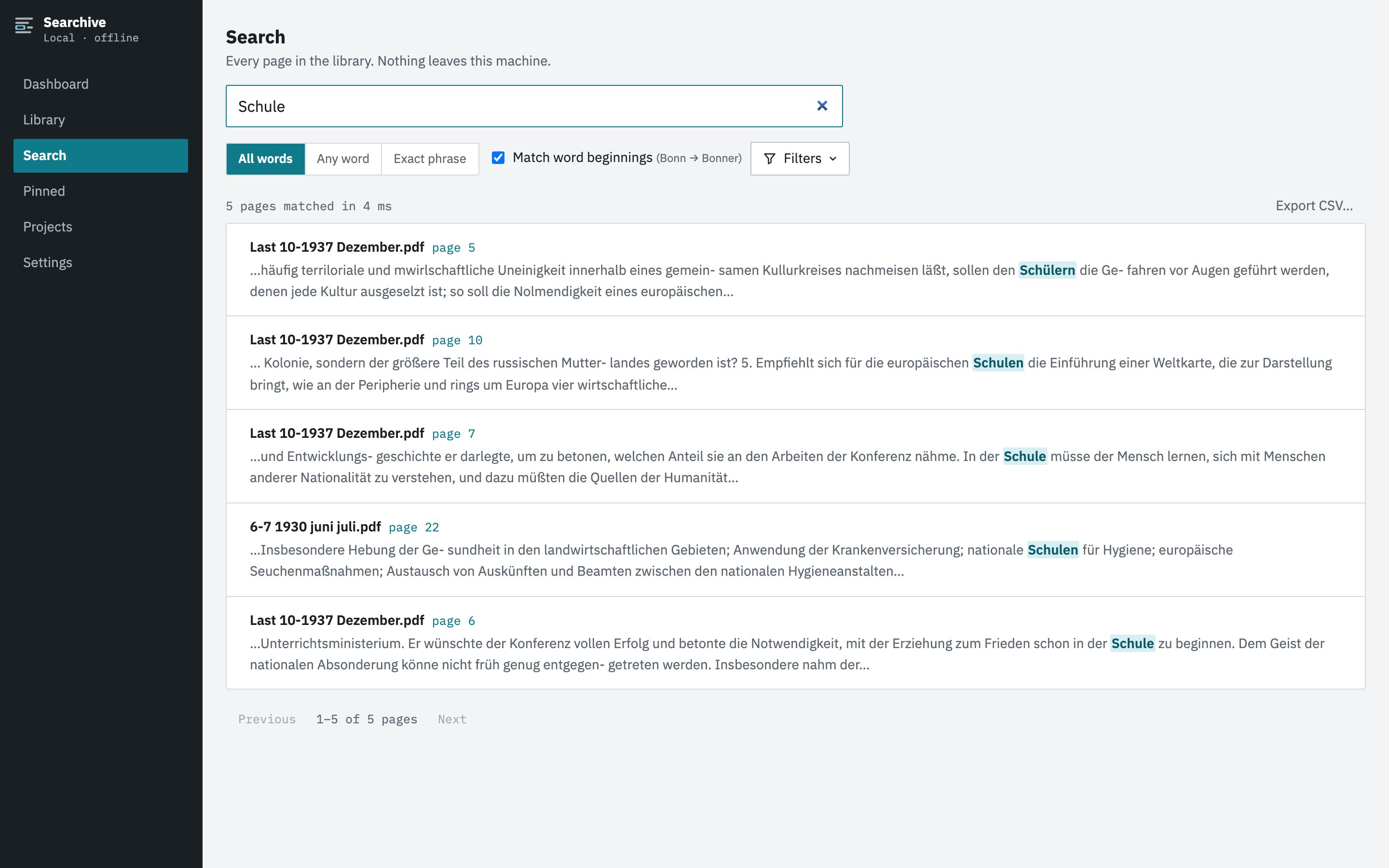
Full-text search across every page in your library, with matches highlighted on the scan itself — you read the original, not a transcription. Search all words, any word (Cöln, Köln and Coeln in one go), or an exact phrase.

The real application: 1930s journals imported, read, searched — and the finding pinned with a note.
The rest of the tool

A library, not just a search box.

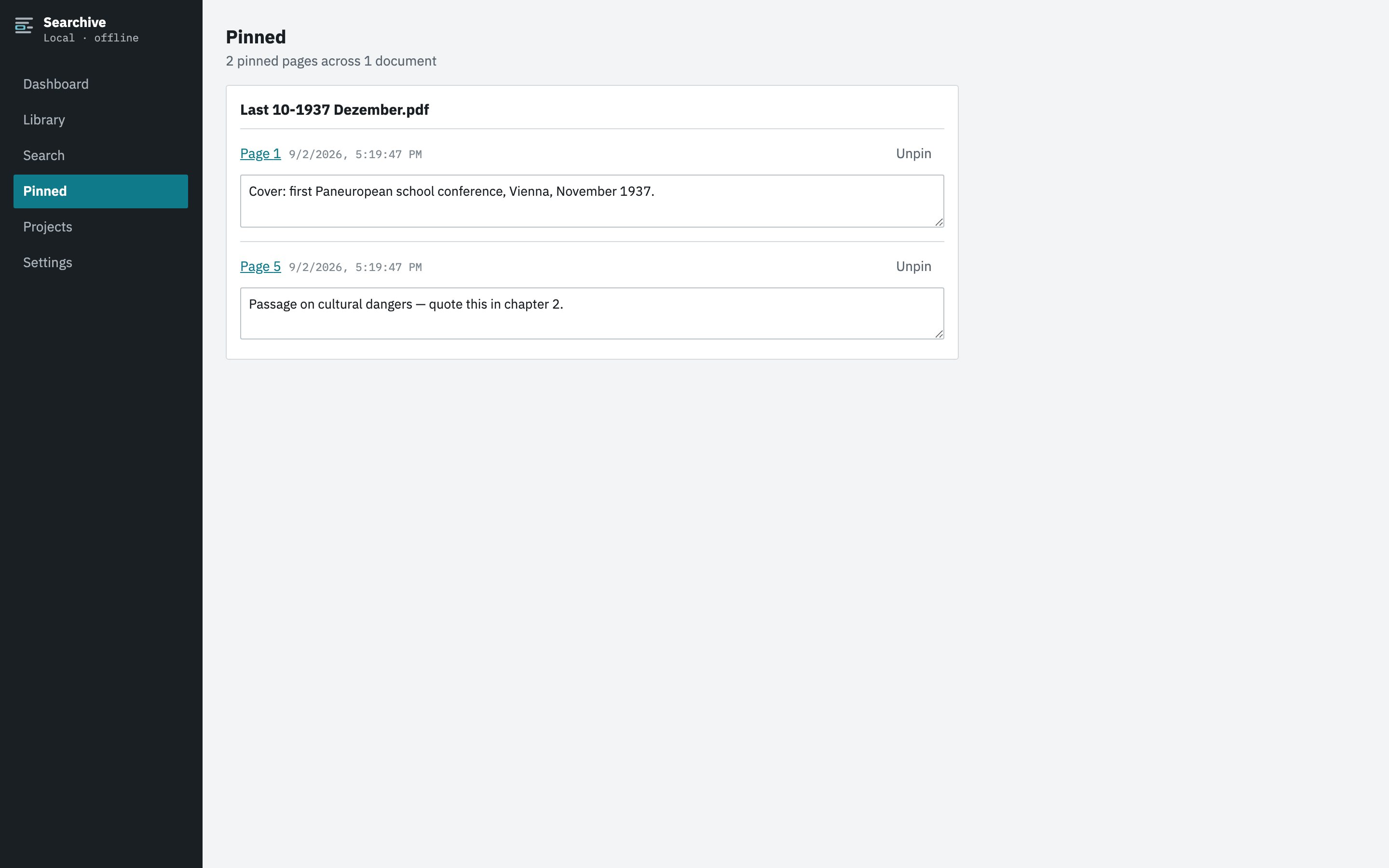
Pin the pages that matter with a note in your own words — your findings, collected in one place. Export any search's results as a CSV for your notes or source list. Projects to group your sources, per-page read-quality flags so you know which pages to double-check and metadata that always says whether the document stated it or the app inferred it.

Search results across a library, matches highlighted in context, with all-words, any-word and exact-phrase modes
Search across every page — all words, any word, or an exact phrase
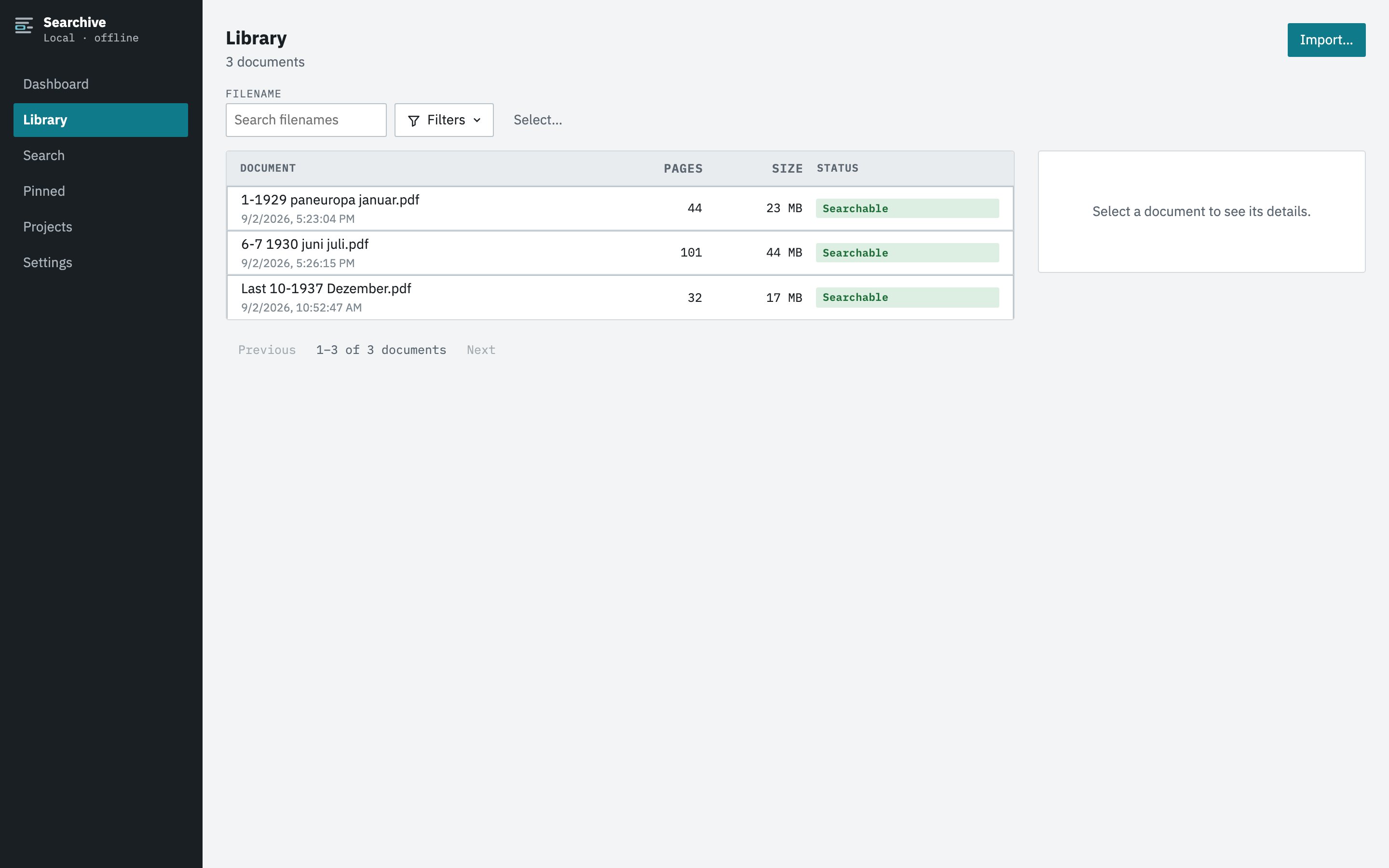
The library view listing documents with pages, size and status, sortable by column
The library: status of every document at a glance
Pinned pages grouped by document, each with the researcher's own note
Pinned pages: your findings, with your notes
Privacy

Your archive never leaves your machine.

The documents, the recognized text, the search index — all of it lives in a folder on your own computer. No uploads, no accounts, no analytics. It works with the network cable unplugged.

Works fully offline

In the archive basement, on the train, anywhere. Nothing about it needs a connection.

Your files stay files

One ordinary folder holds everything. Back it up, move it, open it — no lock-in, no proprietary vault.

Yours, permanently

If you ever stop subscribing, reading, searching and exporting your library keep working. Forever.

Searchive
Cloud OCR services
By hand
Where your documents go
Nowhere
Their servers
Nowhere
Works offline
Fully
No
Yes
Finding one name in 10,000 pages
Seconds
Seconds
Weeks
Cost shape
Flat monthly
Per page — grows with your archive
Free
If you stop paying
Library stays readable forever
Access ends
Pricing

Start free. Stay free on one document, or try everything for 14 days.

Free

€0 forever
  • One document — as many pages as it has
  • Every feature — nothing held back
  • No account, no card, no clock

Researcher

€7 / month
  • Up to 200 documents
  • Every feature — nothing held back
  • All four languages

Archive

€19 / month
  • Unlimited documents
  • Every feature — nothing held back
  • All four languages

Pay yearly and get two months free. The plans differ only in library size — features are never the dividing line. The free plan is the full product on one document: search it, pin it, export from it, for as long as you like.

Who makes this

Built by the people who needed it.

Searchive began as one Dutch household's problem: a historian with thousands of scanned pages — journals, registers, correspondence in four languages — and no way to search any of it. The cloud services that could read them wanted the archive uploaded first and a century of papers on someone else's servers felt wrong. So the programmer across the table built the tool they couldn't find: fast, complete and entirely on your own machine.

That's still the whole company — a researcher and an IT engineer in the Netherlands. There is no support department; mail sent to info@searchive.io is read and answered by us.

Questions

Asked before you had to ask.

What happens if I stop paying?

Your library stays readable, searchable and exportable — forever. Importing new documents and running recognition pause until you subscribe again. Your own research is never held hostage to a subscription.

Does it really work offline?

Yes. Recognition and search run entirely on your machine. A subscription is confirmed with a brief online check that sends your license key and nothing else — no document data, no filenames, no search terms — and the app then works offline for weeks at a time.

There are free tools that index files — why pay?

Free desktop indexers tell you a word occurs somewhere in a file and leave you to open it and hunt for the page. Searchive opens the scanned page itself with every match highlighted on the image. And historical text is full of the characters those tools stumble over: names like l'église, Sa'ud or d'Annunzio, accents, quotation marks. Searchive finds them — typed with or without the apostrophe, with or without the accent — and that behaviour is covered by tests, not luck. Add photo import, projects, pinned pages with your own notes and CSV export of your findings and the difference is the one between an index and a research tool.

I only have photos, not PDFs — does that work?

Yes. Select the photos of a document and they become one searchable document, pages in the order the camera took them. JPEG, PNG, TIFF and WebP are supported.

Which languages can it read?

German, French, English and Dutch, chosen per document — a French letter and a German newspaper in the same library each get read in their own language. More languages are planned.

How good is the recognition on old print?

Good enough to search by: clean twentieth-century print recognizes nearly perfectly and every page gets a confidence score so you can see which pages deserve a second look. Handwriting is not supported.

What does it run on?

macOS (Apple Silicon) and Windows 10 or later, 64-bit. It is a normal desktop application — one installer, no dependencies to set up.

Where exactly is my data?

In a single folder you choose — your originals, the searchable copies and the index database. Point your backup tool at it and everything is covered.