The problem
Document-based reporting produces the material that search tools handle worst: scans without text, photographs of paper and printed emails scanned back in, all in one heap. Reading it end to end is out of the question on deadline. Searching it needs OCR first. The convenient OCR is online. Uploading a leaked archive to a cloud service compromises source protection before the first search has run, whatever the service's privacy policy says. Even a public FOI release tells anyone watching what you are working on.
Newsroom tools exist for the largest investigations. A freelancer, a regional paper or a two-person investigative team usually has a laptop and a deadline.
How it works in Searchive
- You import everything on the machine you choose: a folder of PDFs (subfolders included) or a set of phone photos from the reading room that becomes one document in camera order. Searchive is a desktop application and sends nothing anywhere. It runs with Wi-Fi off, on a machine that has never been online, if that is how you work.
- Recognition runs per document in the background. You choose the language for each document (German, French, English, Dutch or Italian, with two allowed together for a bilingual file). Every document shows its status. Pages where recognition struggled, such as a bad photocopy or a heavily redacted page, appear on a review list with their confidence score, so you know what the search cannot see.
- You search the whole dump at once for a name, a company, a date or a project code. Any-word mode takes a list of spellings and aliases in one go. Exact-phrase finds the sentence you were told exists. Results are ranked with the terms highlighted in a snippet, so 3,000 pages narrow down to the twenty that matter.
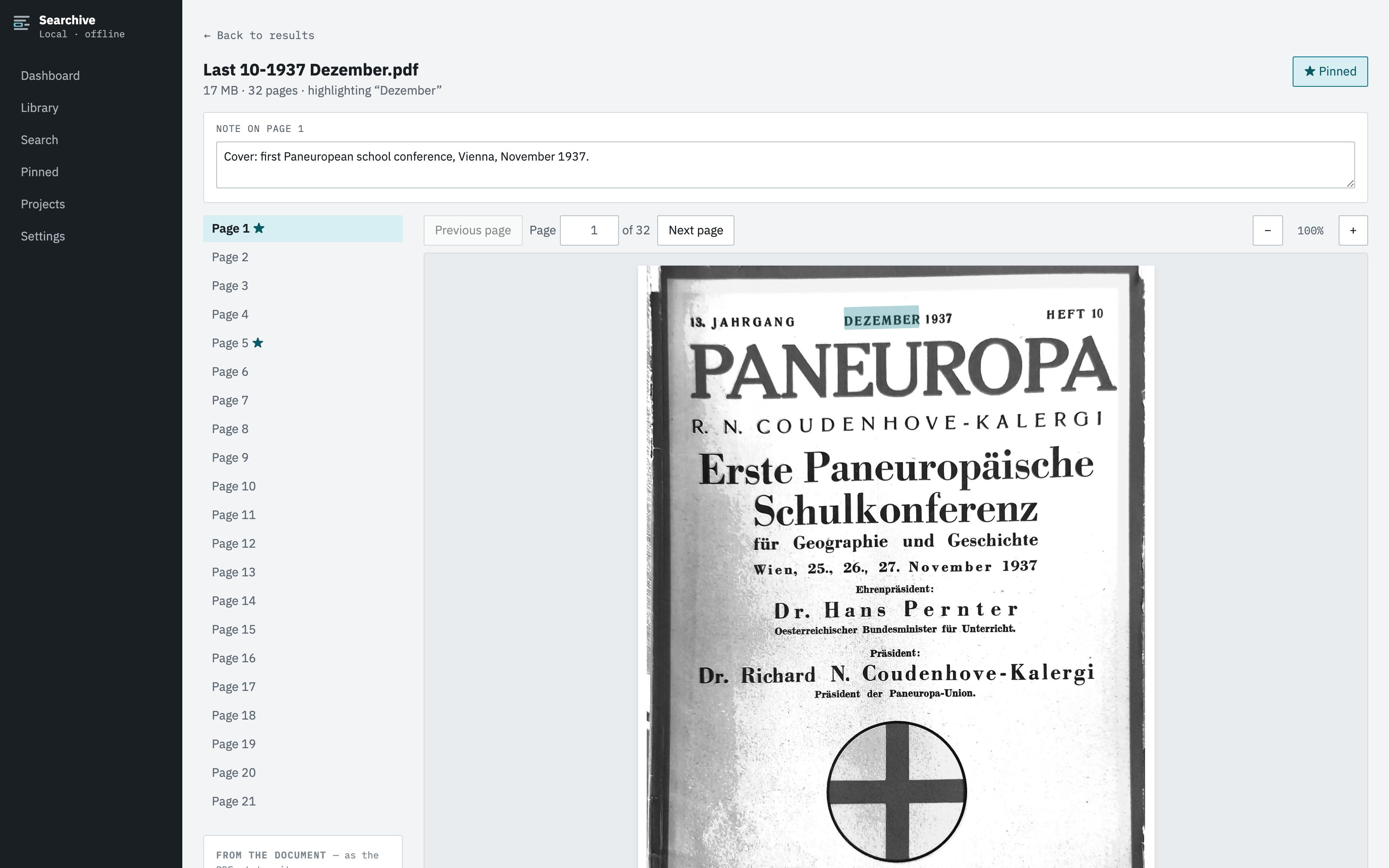
- A click opens the scan with the match highlighted on it. Redaction boxes, stamps, marginalia and letterheads are all visible, which matters when the document itself is the evidence.
- You build the story file. Pin pages with a note ("meeting date contradicts the statement"), export a search's results as a CSV for the timeline and group documents into projects per story without moving the files.
What leaves the machine
The documents, the recognized text, the index and your notes live in one folder on the disk. The free tier needs no account and never contacts anything. A paid license is confirmed by a periodic check that sends the license key and nothing else, so no document data, filenames or search terms. The app then works offline for weeks. There are no analytics in the application. Recognition is a fixed model shipped inside the app, so nothing from a source's documents ends up in anyone's AI. If you keep the library on an encrypted volume, that folder is the entire footprint. How to verify that with a firewall.
What it doesn't do
Searchive reads printed and typed text. Handwritten notes, which turn up in every file, are pages you can view and pin but not search by content. It doesn't de-duplicate near-identical documents, extract entities or build timelines. It has no collaboration features: there is one library on the machines you put it on, shared by copying the folder. A team that needs a shared, hosted investigation platform should look at the purpose-built tools for that. For a reporter with a laptop and a dump this will do the job.
One document, free. A 3,000-page FOI response counts as one document on the free version: import it, search it, pin it and export from it. It needs no account. Unlimited documents cost €10 once at launch and €39 after.
Join the waitlist