The problem in a small firm
The scans exist. Engagement letters, contracts, pleadings, court orders, correspondence and expert reports: most firms have digitized their closed files, if only to free up the storage room. What they have is a folder tree by client and matter, full of PDFs that are pictures of paper. A conflict check, a "have we advised on this clause before?" or a "which files mention this counterparty?" all come down to opening documents by hand, because the operating system's search sees no text in them.
The obvious fix, a cloud document service with OCR, runs into professional secrecy. Client files don't go to a third party's servers without a decision someone is willing to defend. Most small firms make that decision by not making it. The boxes stay unsearchable.
How it works in Searchive
- You point Searchive at the closed-files folder, subfolders included. Each PDF is checked by content hash, so a document filed twice under two matters is noticed instead of processed twice. Files that already have a text layer, such as anything exported from Word or from the practice-management system, are indexed as they are.
- You choose the language for each document. English contracts, Dutch correspondence and a German expert report are each recognized in their own language or in two at once. Recognition runs in the background on the firm's own machine with a status per document. A failure on page 210 of a 400-page bundle retries from page 210.
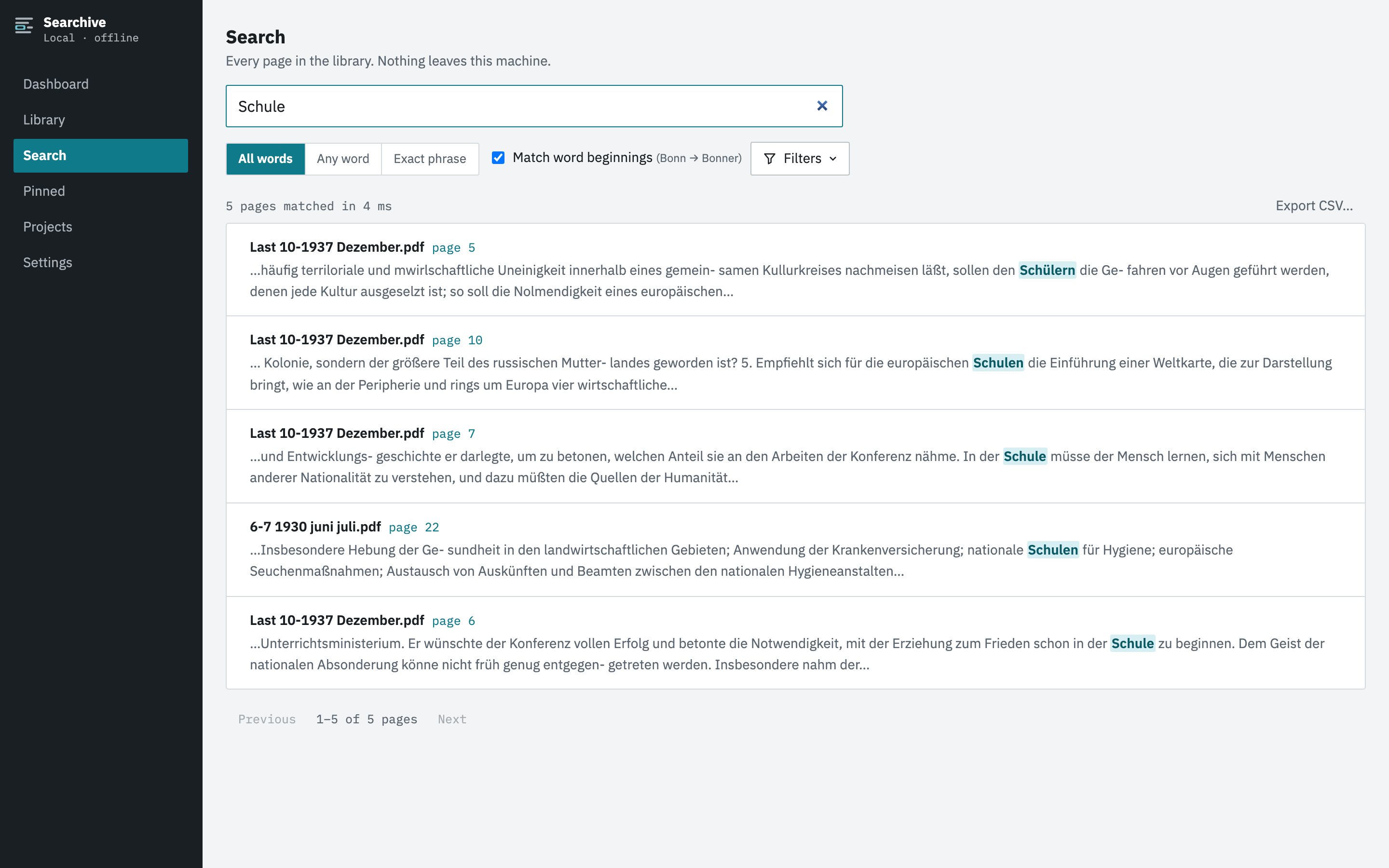
- You search every matter at once: a counterparty's name, a clause, a case number, a property address. Results show the document, the page and a snippet with the terms highlighted, ranked. Any-word mode catches variants such as a company with and without its legal suffix or a name with and without the middle initial. Exact-phrase mode finds the clause.
- A click opens the scanned page with the match highlighted on the image. The signature, the stamp and the handwritten annotation in the margin are all there because what you see is the scan itself.
- You keep what you found. Pin the page with a note ("indemnity carve-out, cf. 2019 matter") and export the search as a CSV for the file memo. Projects group documents by matter, client or due-diligence exercise without moving any files.
Nothing leaves the office
Searchive is a desktop application for macOS and Windows. The documents, the recognized text and the search index live in one folder on the machine you choose, which your existing backup already covers. There is no upload, no account, no cloud component and no analytics. It works with the network cable unplugged. A paid license is confirmed by a periodic check that sends the license key and nothing else, so it carries no document data, filenames or search terms.
What it doesn't do
Searchive reads printed and typed text. It doesn't read handwriting, so a handwritten attendance note is a page you can view and pin but not search by its content. It also isn't a document-management system. There are no user permissions, no audit trail, no retention rules and no concurrent multi-user access to one library. It is a search tool for the archive you already have, installed on one or a few machines.
Try it on one file. The free version is the full product on a single document, however many pages it has. It needs no account or card and doesn't expire. Unlimited documents cost €10 once at launch and €39 after.
Join the waitlist