What "upload" means for a document
An online OCR converter, a cloud drive that recognizes text and a chat assistant you paste a scan into all work the same way. They copy the document to a computer owned by someone else, process it there and send a result back. What happens to the copy afterwards depends on a terms-of-service page. Some services delete it after a while, some keep it and some reserve the right to use it to improve their models. You usually can't check which. You certainly can't check later.
For a scanned magazine none of this matters. For confidential material the decision should be made on purpose by someone who is allowed to make it. A lawyer uploading a client's correspondence, an accountant uploading a customer's bank statements, a journalist uploading a leaked archive or a doctor uploading a referral letter all have a rule, a contract or a source at stake. The safe default is that the document stays in the office. OCR doesn't need it to leave.
Offline OCR options
OCRmyPDF and Tesseract (free, command line)
OCRmyPDF is open-source software that adds a searchable text layer to a scanned PDF using Google's Tesseract engine. It runs entirely on your machine, makes no network connection and sits underneath many commercial tools, ours included. It takes one command per file:
ocrmypdf --language nld --deskew --rotate-pages scan.pdf searchable.pdfIt is free, reliable and well documented. It also handles one file at a time from a terminal and gives you nothing to search the results with. For a folder of a few thousand scans you would write a script to loop over them and still need something to search the output.
Adobe Acrobat Pro (paid, desktop)
OCR in Acrobat Pro is a feature of the desktop application. Adobe's pages don't say whether its cloud takes part in recognition. If that matters to you, check the current documentation or run the firewall test described in our guide on that. It is a per-document workflow and the subscription is priced for general PDF editing rather than for archives. If you already have it, it works as an offline OCR tool. Searching many scans at once is its weak point, which we go into in our comparison with Acrobat.
ABBYY FineReader (paid, desktop)
FineReader is a long-standing OCR editor, strong on layout and on correcting recognition by hand. It is a desktop application. ABBYY's product pages don't say either way whether any processing happens in the cloud, so the same firewall test applies. Like Acrobat it is built around one document at a time. Our comparison with FineReader has the details.
Searchive (desktop, free for one document)
Searchive is a desktop application for macOS and Windows that bundles OCRmyPDF and Tesseract with a library, an index and a search screen. You import PDFs or photos and choose the language for each document. The app then recognizes and indexes every page locally and shows matches highlighted on the scanned page. We built it because the two of us had thousands of pages to search and every service that could read them wanted the archive uploaded first.
What to check in any tool's privacy policy
- Where recognition runs. "On device" or "locally" is what you want. "Cloud-powered", "AI-powered" with no further explanation and any requirement to sign in before OCR usually mean an upload.
- What is transmitted at all. A license check that sends a key is not an upload. A tool should be able to say in one sentence what leaves the machine.
- Whether your documents are used to train models. Look for an explicit statement, because silence is not a no.
- Whether it works with the network off. Unplug and try.
Searchive's answers to those four questions: recognition runs on your machine, nothing about your documents is transmitted, nothing trains on them and it works with the cable unplugged. A paid license is confirmed by a periodic check that sends the license key and nothing more, so it carries no document data, filenames or search terms. The free tier makes no check at all.
Join the waitlistOffline OCR for a whole archive
People reach for cloud OCR mostly for convenience: drop in a folder and get it back searchable. The offline tools above handle one file at a time, which suits a contract and does nothing for a filing cabinet. Searchive is meant for the cabinet.
- You import a folder (subfolders included) or a set of phone photos that becomes one document. Originals are never modified. A separate searchable copy is stored beside each one.
- You choose the language for each document (German, French, English, Dutch or Italian) or a combination of two. Documents that already have a text layer are indexed without OCR.
- Processing runs in the background with a status per document. A failure on one page is retried from that page instead of from the start.
- Every page records a confidence score, so a faint photocopy appears on a list of pages worth a second look instead of quietly missing from search results.
- Search covers every page from one box in three modes (all words, any word, exact phrase) with matches highlighted on the page image. You can pin pages with a note and export results as CSV.
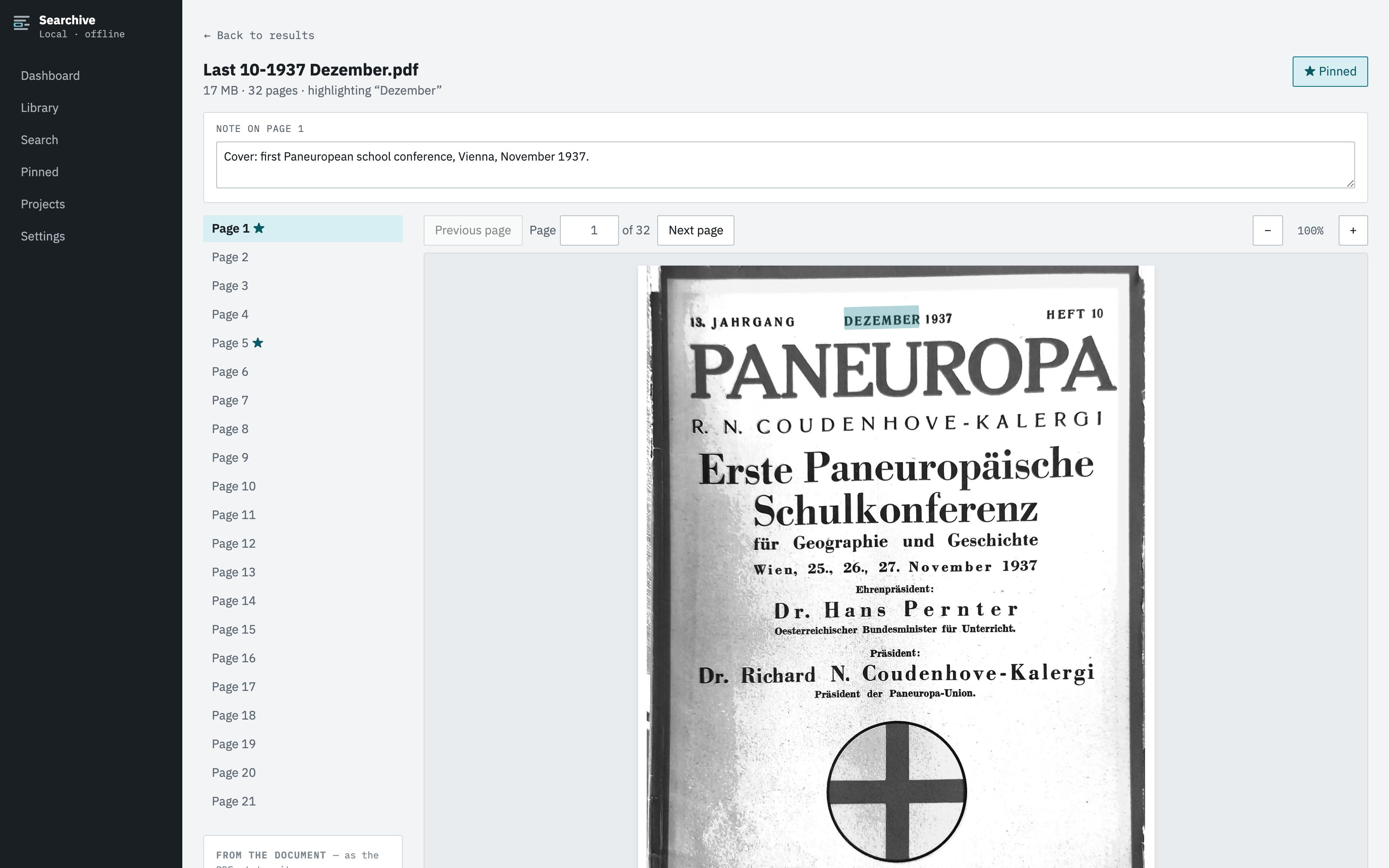
Everything, including the recognized text and the index, lives in one ordinary folder you choose. Point your backup at it and you're done. You pay once so nothing lapses. After the 14-day trial the free plan keeps one document fully working and the rest of the library stays readable, searchable and exportable.
Frequently asked questions
Is offline OCR less accurate than cloud OCR?
For clean printed text in a supported language, Tesseract-based OCR reads very well offline. Cloud services do better on difficult material such as poor photos, unusual layouts and handwriting. For scanned documents in German, French, English, Dutch or Italian the difference rarely matters as much as where your documents end up.
Does Searchive ever connect to the internet?
Recognition, indexing and search never do. A paid license is confirmed by a periodic check that sends the license key and nothing else, meaning no document data, no filenames and no search terms. The app then keeps working offline for weeks. The free tier needs no check at all.
Does any AI model learn from my documents?
No. The recognition models ship inside the app and are never updated from your data. Nothing you import is used to train anything, by us or anyone else, because nothing you import leaves your machine.
Can I use it on a computer with no internet at all?
Yes. Install it, then import, recognize and search with the network cable unplugged. A paid license is checked when the machine is next online. A 30-day grace period means an offline stretch never locks you out.