What FineReader is
ABBYY FineReader PDF is a desktop OCR and PDF application. Its main strength is recognition quality across an unusually wide range of languages (ABBYY states 198) and layouts, together with an editor where you can inspect and correct the recognized text before exporting it as a searchable PDF, a Word document or a spreadsheet. It is sold as a subscription. On 15 September 2026 ABBYY's pricing page listed FineReader PDF Standard at 99 € a year and Corporate at 165 € a year, both for Windows only. FineReader PDF for Mac was listed at 69 € a year. Batch conversion through a Hot Folder is listed for the Corporate edition.
It is a desktop application. ABBYY's product pages don't say either way whether any processing happens in the cloud. The application is organized around the document you have open. Searching across many files is not what it is for.
What Searchive is
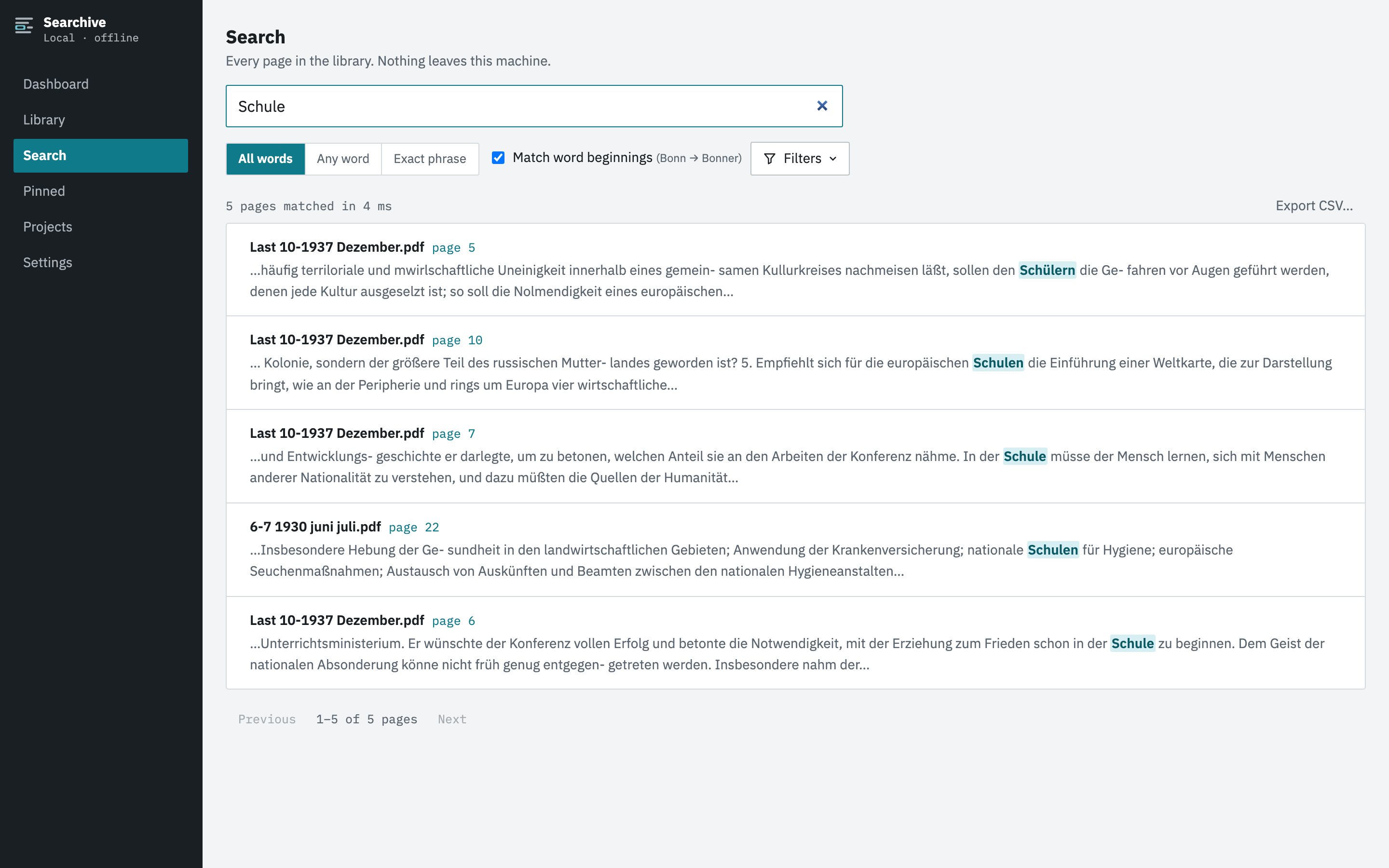
Searchive is a library. You import PDFs and photos in bulk, choose a language for each document from German, French, English, Dutch and Italian and the app recognizes and indexes every page in the background. You then search all of it from one box, see the matching pages with the hit highlighted on the scan, pin the ones that matter with a note and export a list of results. It doesn't edit documents or export to Word. It runs on macOS and Windows with the same features on both. Everything stays on your machine.
Side by side
| Feature | Searchive | FineReader PDF |
|---|---|---|
| Built around | A library you search | A document you recognize and correct |
| OCR languages | German, French, English, Dutch, Italian | 198 (ABBYY's figure) |
| Correcting recognized text | No editor. Low-confidence pages are listed for review | Full verification editor |
| Export to Word, Excel | No (CSV of search results only) | Yes |
| Search across all documents | One box, every page, ranked, snippets, page image | Per open document |
| Bulk processing | Every import | Hot Folder in the Corporate edition |
| Mac and Windows | Both, same features | Separate Mac edition whose product page lists no Hot Folder or document comparison |
| Photos as a document | A set of photos becomes one document | Images can be opened and recognized |
| Offline, no account | Yes | Desktop app with a subscription license |
| Price | Free for one document. Unlimited: €10 once at launch, €39 after | From 69 € a year (Mac) or 99 € a year (Windows Standard) |
| If you stop paying | Nothing to renew, you paid once | The application stops. Your files remain |
Choose FineReader when
- The recognized text itself is the product: you're transcribing, quoting at length or turning scans into editable documents.
- You need to correct the OCR by hand and see the changes.
- Your material is in a language outside German, French, English, Dutch and Italian or has demanding layouts (tables, forms, multiple columns with images) that need a layout engine.
- You want Word or Excel output.
Choose Searchive when
- The question is the product: which pages mention this, across everything I have.
- You read the original scan and want the match highlighted on it instead of a transcription.
- You work on both a Mac and a Windows machine and want one tool, one library folder and the same features.
- You import in batches of hundreds and want a status per document, retries per page and no clicking through documents one by one.
- You want to pay once, however large the archive grows.
Free for one document, with every feature. Import a single 400-page volume, search it, pin pages and export. It needs no account or card and has no time limit. Unlimited documents cost €10 once at launch and €39 after.
Join the waitlistUsing both
Searchive uses an existing text layer when it finds one, so a document recognized and corrected in FineReader can be imported and searched alongside everything else without a second recognition pass. If you have one high-value document that deserves careful correction and two thousand that only need to be findable, splitting the work this way makes sense.
Frequently asked questions
Is FineReader's recognition more accurate than Searchive's?
We haven't run a controlled comparison and won't invent one. ABBYY's engine has a long reputation, particularly for layout and for languages we don't support. Searchive uses Tesseract through OCRmyPDF, tuned for German, French, English, Dutch and Italian, with a confidence score per page so you can see where it struggled.
Can Searchive import PDFs that FineReader made searchable?
Yes. Any PDF with a usable text layer is indexed as it is, without recognition running again.
Does Searchive correct recognition errors by hand?
No. There is no text editor. Searchive shows which pages have low confidence so you know where to look. You always read the original scan instead of the recognized text.
Which one runs on a Mac?
Both. ABBYY sells FineReader PDF for Mac as a separate edition. Searchive is one application for macOS on Apple Silicon and for Windows 10 or later, with the same features on each.