How OCR in Google Drive works
You upload a PDF or an image to Drive, right-click it and choose Open with → Google Docs. Drive produces a Google Doc containing the recognized text, with the page image above it. Google's help page sets the conditions: the file should be 2 MB or smaller, the text at least 10 pixels high, the page the right way up, sharp and evenly lit. Bold and italics may survive. Lists, tables and columns mostly don't. Language is detected automatically across a large set of languages.
Separately, Drive's own search indexes the text of files you store, including some text it can extract from images and PDFs. It returns matching files. It doesn't show the page the word is on or highlight it on the scan.
Both are convenient and free. Both need the document to be on Google's servers.
What Searchive does instead
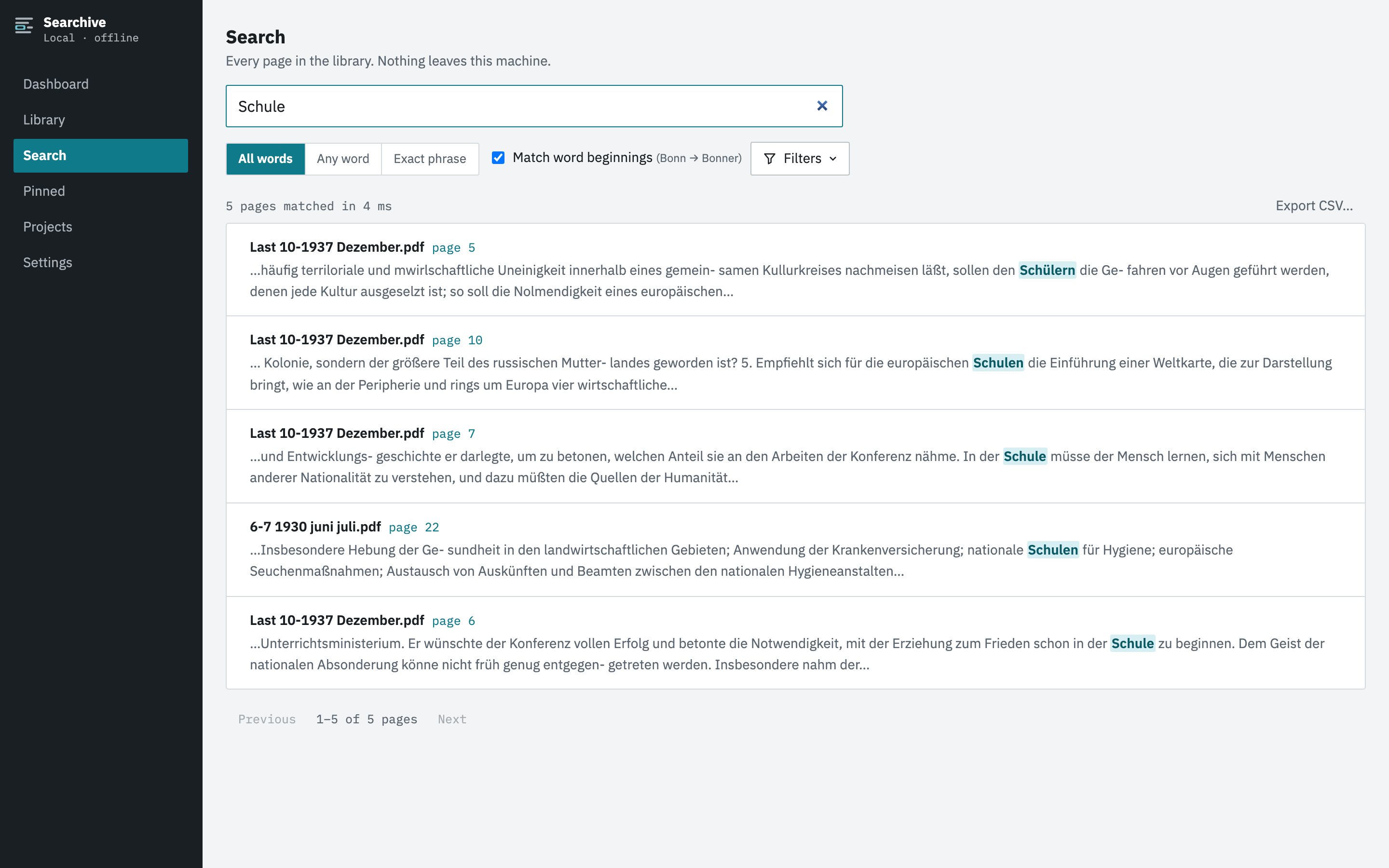
Searchive is a desktop application. You import scanned PDFs or photos into a library on your own Mac or Windows machine and choose the language for each document (German, French, English, Dutch or Italian). Recognition and indexing then run there in the background for the whole folder. Search covers every page from one box, results show a snippet with the terms highlighted and a click opens the scanned page with the match marked. You can pin pages, add notes and export results. Nothing is uploaded, no account is needed and the app works with the network unplugged.
Side by side
| Feature | Searchive | Google Drive |
|---|---|---|
| Where your document goes | Nowhere, it stays in a folder on your disk | Google's servers |
| Works offline | Fully | No |
| Account required | None | Google account |
| Cost | Free for one document. Unlimited: €10 once at launch, €39 after | Free within your storage quota |
| File size limit for OCR | Volumes of hundreds of pages import as one document | 2 MB for conversion to a Doc |
| Output | Searchable PDF beside the untouched original | A Google Doc with the text. The original stays a PDF |
| Bulk processing | Folders, subfolders, hundreds of files, status per document | One file at a time for conversion |
| Search across everything | Every page, ranked, snippet, page image with the hit | Returns files |
| Spelling variants | Any-word mode | Search operators |
| Languages | German, French, English, Dutch, Italian | Many, detected automatically |
| Confidence per page | Recorded and listed for review | Not shown |
| Handwriting | No | Not covered on Google's help page |
When Drive is fine
- The document isn't sensitive and you already keep it in Drive anyway.
- You have one or a few files and want the text in a Doc to edit or quote.
- The language is one Searchive doesn't read.
- You need it done right now on a machine with nothing installed.
When you shouldn't upload
Some documents aren't yours to upload, whatever the service's policy says: client files under professional secrecy, personnel and medical records, material from a source who trusted you, archive photographs taken under terms that forbid redistribution and a relative's private letters. What matters in each case is whether you are allowed to make the copy at all, which has little to do with how far you trust Google. Local processing removes the question.
A second reason is durability. A Google Doc is a file in an account. A searchable PDF in a folder on your disk is yours outright and stays readable by anything that opens PDFs.
Searchive's privacy promise in full: documents, recognized text and the index live in one folder on your computer. Nothing is uploaded, no account is needed and no model trains on your papers. A paid license is confirmed by a periodic check that sends the license key and nothing else. It works with the network cable unplugged.
Join the waitlistWhen one scan becomes a thousand
Drive's OCR is a per-file convenience. It has no notion of a library: no bulk import with a language per document, no list of which documents were recognized and which failed and no way to ask for every page that mentions a name. At that point the free tool stops being free in the way that matters, because your time is the cost. Searchive was built for that point by a historian with thousands of scanned pages and a programmer who didn't want them on anyone else's servers.
Frequently asked questions
Is Google Drive OCR free?
Converting a file to a Google Doc costs nothing beyond the storage your files use. The limits are practical: Google's help page says files must be 2 MB or smaller for conversion and the output is a Google Doc, not a searchable PDF.
Does Drive search inside my scanned PDFs without converting them?
Drive indexes text it can extract from uploaded files, including some OCR of images and PDFs. Its search returns files. It doesn't show the page or highlight the match on the scan. How consistently scans are indexed isn't documented in detail.
What does Google do with documents I upload?
That depends on Google's terms and privacy policy for the account you use, which differ between consumer and Workspace accounts. We can't summarize them accurately here and you should read the current version. Searchive's answer is simpler: nothing is uploaded, so there is nothing to govern.
Can Searchive search files that live in my Drive folder?
If Drive syncs them to a folder on your computer you can import that folder like any other. Searchive keeps its own copies and index in its library folder and never talks to Drive.